The Deed Plotter allows anyone to enter information found on a deed and plot it to get a visual look at what the deed represents. When you click on the link, you will get a quick overview on how to use it.
First, you’ll need to follow the format shown on the opening splash screen to input the metes and bounds of the deed. Enter the bearings and distances into the top portion and hit “Add”.
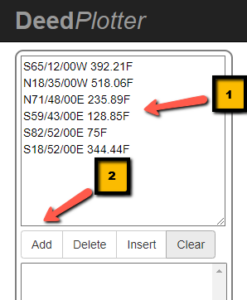
You’ll see your entry below and underneath that, details specifically pertaining to the property:
- Total Area
- Acreage
- Perimeter
- Perimeter Error
- Closure
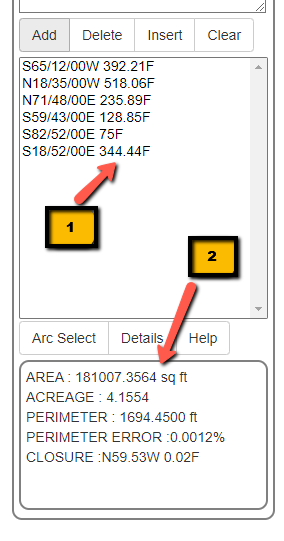
These features allow you to verify the information in the deed as well as potential errors.
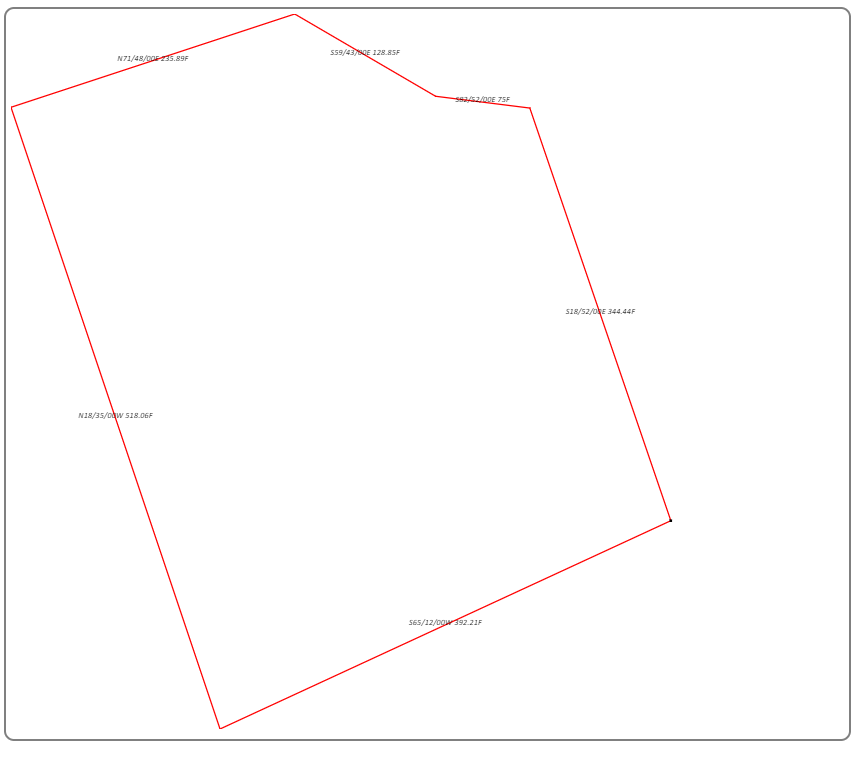
On the right, you’ll also see a graphic display of the property, that should match the current tax map or fit inside the original property if it’s a subdivision deed or deed of consolidation.
You also have the ability to archive the plot. By hitting on “Details”, you’ll have the ability to fill in information that will allow you to search for this plot later. There’s also a space available for notes.
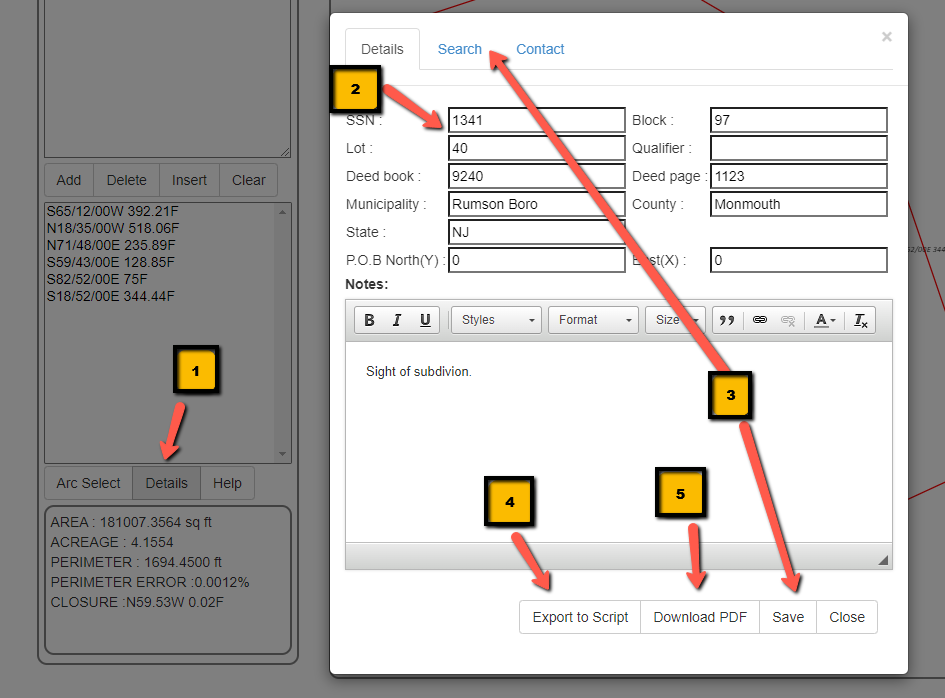
After filling out the details of your property, you can not just save the sketch for later use, but also export a text file that allows you to plot out the property digitally and also save it to a pdf.